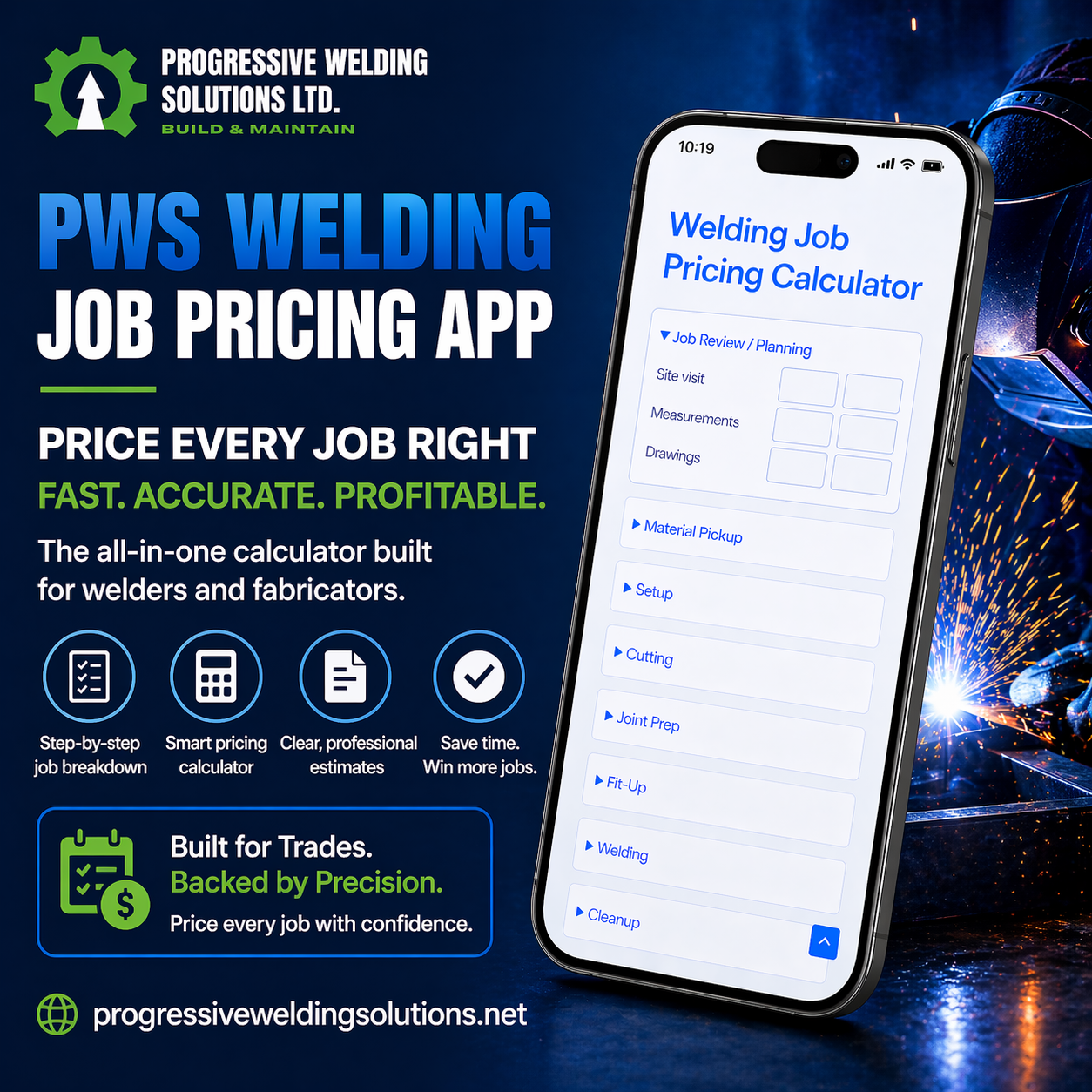
PWS Welding Job Pricing App

4 sold Loading views...
Loading views...

PWS Welding Job Pricing App

$39.00

Stop overlooking the work that eats into your profit.

Build a clearer welding and fabrication estimate—from planning
and material pickup to cutting, welding, finishing and installation.
Enter your task hours, hourly rate and job costs to calculate
a minimum and maximum selling price.

  • See whole-job and per-item estimates.
  • Account for materials, consumables and additional expenses.
  • Copy customer estimates or print/save them as PDF.
  • Save your work on your device and download estimate backups.

A practical pricing tool for welders, fabricators and small-shop owners.

Personal account access

One-time purchase for one customer account. Create your account at checkout or sign in to your existing PWS account. After payment is confirmed, open the app from your customer centre.

Use your own login and password, with password recovery. Add the app to your phone home screen for quick access. An internet connection is required; estimates saved on your device are not cloud storage.

Already purchased? Open the pricing app →

Secure CheckoutSupport Available
Guaranteed Safe Checkout

How to access your PWS Pricing App

New customer: after your purchase
  1. Create your customer account at checkout, or sign in to your existing account.
  2. Check your checkout email inbox for the account email and choose your own password using the setup link. Check spam or junk if it is missing.
  3. After payment is confirmed, sign in at My account and select My pricing app.
  4. Bookmark the app or add it to your phone home screen. Use the same account each time.

Bank transfers and other pending payments unlock access only after payment confirmation.

Purchased before the account update?

You do not need to purchase again. The shared page password has been replaced by personal customer accounts.

  1. Use the email address from your original purchase.
  2. If PWS sent you an account setup email, follow its link to choose a password. If you already have an account, sign in or use Lost your password?
  3. Open My account and select My pricing app.
  4. If access is missing, contact PWS with your order number and purchase email. We will verify your purchase and link it to your account.

Creating an account alone does not unlock a paid app. Your confirmed purchase must be linked to it.

Keep your saved estimates

Account access does not move your local estimates into cloud storage. Use the original device and browser, download your estimate backup, then import it on another device. Keep backups of important jobs.

iPhone: Safari → Share → Add to Home Screen. Android: browser menu → Install app or Add to home screen, when available. Internet is required.

Need help? Contact PWS. Never send your password.

Share this product
FacebookWhatsAppLinkedIn

What you are buying

  • Browser-based welding and fabrication estimating tool; no physical shipment.
  • Calculates from the task hours, rates and expenses you enter.
  • Includes local device saves, downloadable estimate backups and print/PDF output. Device saves are not cloud storage.
Specifications at a glance
Virtual

Yes

PWS BUSINESS TOOLS

Price the whole job. See where your money goes.

The welding may take two hours. But what about the measuring,
material pickup, cutting, deburring, fit-up, painting and delivery?
Leave those tasks out of your estimate and they can quietly
consume your profit.

The PWS Welding Job Pricing App helps you
turn your expected workload and expenses into a structured
selling-price range before you commit to the job.

Account for the work that gets missed

Enter minimum and maximum labour-hours under collapsible
task categories covering:

  • Job review, measurements, design and planning.
  • Material sourcing, pickup, loading and transport.
  • Layout, cutting, deburring and joint preparation.
  • Fit-up, clamping, tack welding and welding.
  • Grinding, cleanup, preparation and painting.
  • Delivery, installation, adjustment and handover.

Use a pricing basis that fits your business

Choose a selling rate that already includes hourly overhead
and profit, or a labour-cost rate with separate overhead
and pricing adjustments.

  • Enter a whole-job material total or material line items.
  • Add a material waste allowance where needed.
  • Include consumables, equipment and subcontractor costs.
  • Allow for travel and delivery expenses.
  • Apply optional time contingency, rush charges and tax.
  • Use markup, or target margin in cost-rate mode.

See the estimate and understand the breakdown

Totals update as you enter figures. Review your minimum
and maximum estimate alongside the labour, materials
and adjustments behind it.

  • Whole-job and per-identical-item selling prices.
  • Pre-tax estimates and entered tax amounts.
  • An optional minimum job charge.
  • Estimated profit when sufficient cost information is supplied.
  • Actual hours, costs and revenue for comparison after the job.

Prepare an estimate you can share

Add your business details, customer, scope of work,
estimate validity and payment terms.

  • Copy a customer-facing estimate.
  • Print or save the customer estimate as a PDF.
  • Save an estimate locally on your device.
  • Download and import backup files to move your work between devices.

“I like things simple and straightforward.”


Brent Mathurin — Welder-Fabricator,
Progressive Welding Solutions

From job details to a clearer price

  1. Break down the work.
    Enter your expected minimum and maximum task hours.
  2. Add your rate and expenses.
    Include the materials and other costs the job requires.
  3. Review your selling-price range.
    Apply the pricing adjustments appropriate to your business.
  4. Save or share your estimate.
    Keep a backup and compare your estimate with actual results later.

Built for the person responsible for the quote

Suitable for independent welders, fabricators, mobile welding
businesses and small-shop owners who want a repeatable way
to account for their work.

Use it for repairs, gates, railings, brackets, frames and
other fabrication projects where the price depends on
task time, materials and job-specific expenses.


Bring your shop knowledge. Give every part of the job
a place in the estimate.

Before you purchase:
This is a browser-based estimating tool. It calculates from
the hours, rates and costs you enter; it does not automatically
measure a drawing or generate a SketchUp material take-off.

Amounts use your chosen local currency without automatic
exchange conversion. Device saves are local, not cloud account
storage. Final pricing remains your business decision.


Virtual

Yes

Reviews

There are no reviews yet.

Only logged in customers who have purchased this product may leave a review.

Shopping Cart
PWS Welding Job Pricing AppPWS Welding Job Pricing App
$39.00
Secure CheckoutSupport Available
Scroll to Top